
The two reports, and the budget
Dieser Inhalt ist noch nicht in deiner Sprache verfügbar.
Open Finances → Reports. Both reports are worked out from the entries below them, live. There is nothing to refresh and nothing that can be out of date.
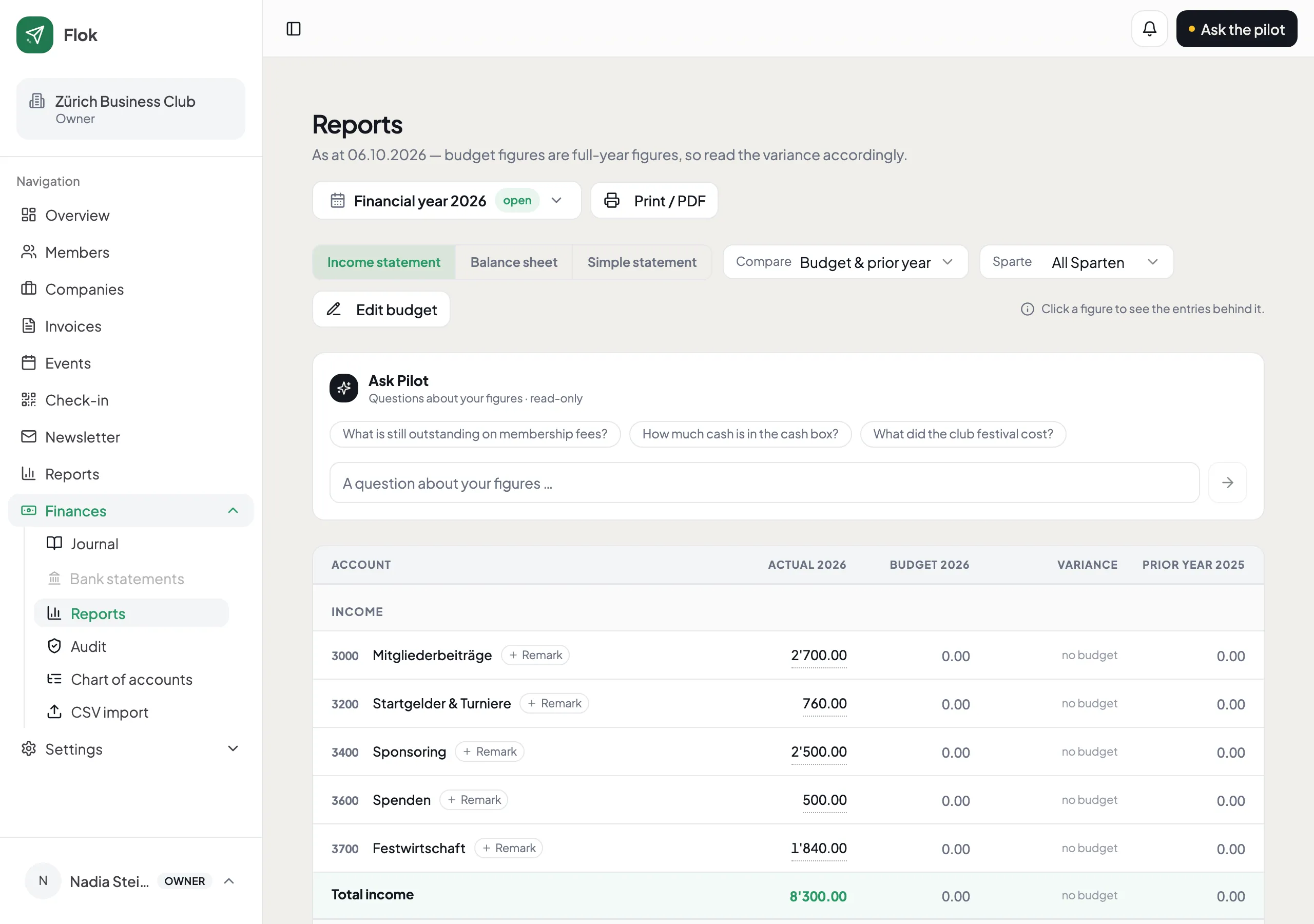
Income statement
Section titled “Income statement”What came in, what went out, what is left. Last year sits beside it as soon as there is one — so at the members’ meeting, “and last year?” is already answered.
Click any figure to see the entries behind it. That is usually faster than explaining it from memory.
Balance sheet
Section titled “Balance sheet”What the club owns and owes on a given day: bank, cash, money members still owe you, and the club’s own funds.
It balances. If it ever does not, Flok says so rather than hiding the difference — which is the only useful behaviour, because an unexplained difference is exactly the thing you need to find.
Budget
Section titled “Budget”Enter a budget per account and the report shows budget, actual and the difference side by side. It is optional; without one the column stays empty and nothing else changes.
Most clubs add it once they have had the conversation at an AGM about why something cost more than expected.
Notes for the meeting
Section titled “Notes for the meeting”Leave a note on any account — “tournament costs higher because of the anniversary”. It shows up in the report, where the figure is.
That is the point: the explanation lives next to the number instead of in a separate document nobody can find at the moment somebody asks.
Print it
Section titled “Print it”Print / PDF gives you the version for the folder and the projector.