
Set up Finances
Deze inhoud is nog niet vertaald.
Finances gives your club a proper set of books. You will need it if your members vote on a Jahresrechnung, if you have an auditor, or if anyone has ever asked you “and what did that cost?”.
It is included in the Verein and Verband plans.
1. Switch it on
Section titled “1. Switch it on”Open Finances → Journal and click Set up Finances.
Flok creates the current financial year and a chart of accounts following Swiss club practice — cash, bank, receivables, membership fees, rent, materials and so on. You do not have to create any of it. Under Chart of accounts you can add whatever your club is missing later.
2. Enter what the club already has
Section titled “2. Enter what the club already has”What was in each account on the first day of the financial year? The figures are on your club’s last set of accounts: bank, cash, anything members still owe you.
Flok works out the difference and posts it to club equity by itself.
3. Bring in invoices you have already sent
Section titled “3. Bring in invoices you have already sent”If your club was already invoicing in Flok before you switched Finances on, a notice appears at the top of the journal with Review the takeover.
It shows you on one page what will be posted before anything happens: unpaid invoices become money owed to you, paid ones become income.
What you end up with
Section titled “What you end up with”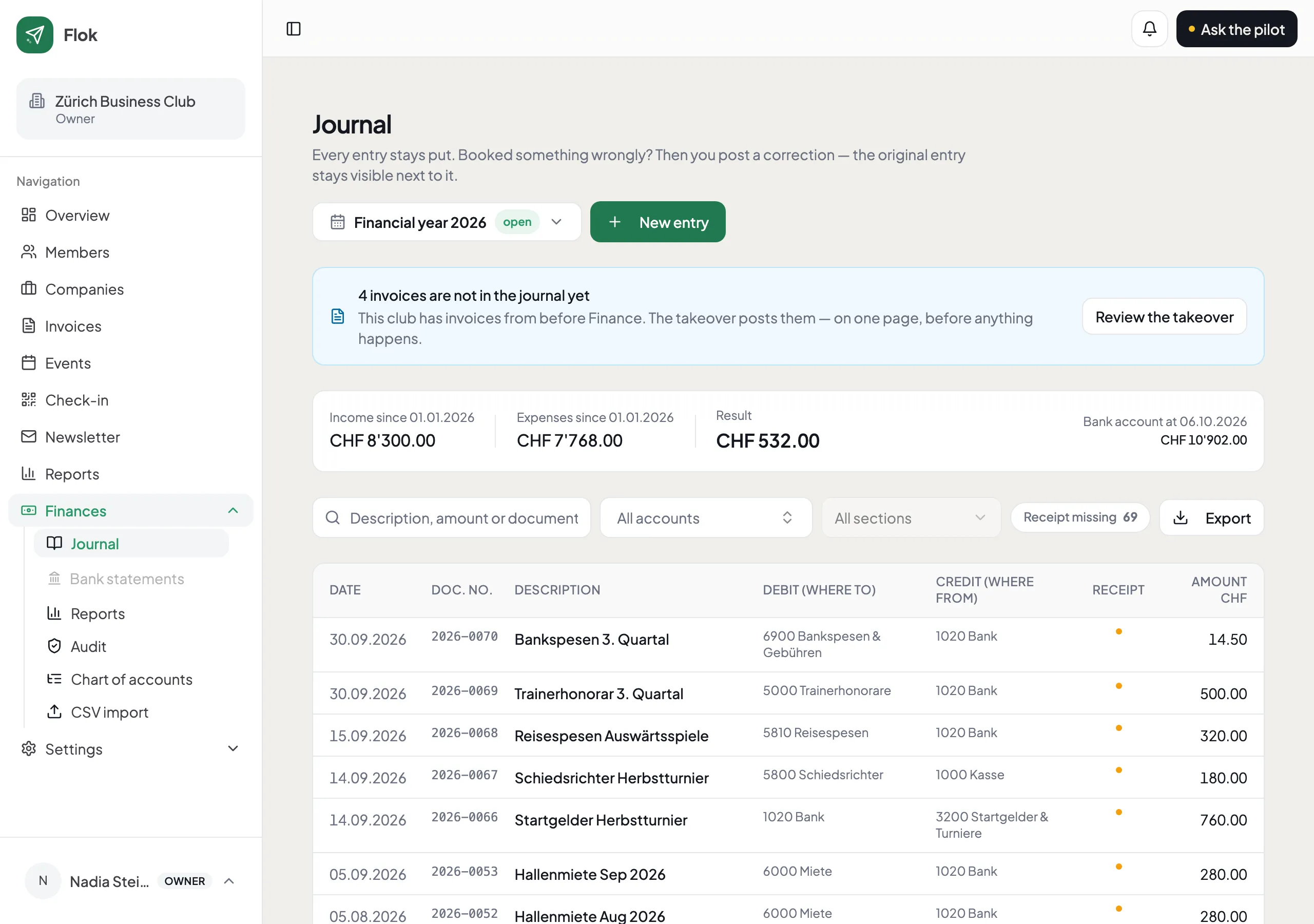
Every entry shows both sides — where the money went and where it came from — and the running totals at the top are calculated from the entries below, not typed in by anyone.
Who gets which login
Section titled “Who gets which login”Two roles come with Finances, under Settings → Users:
| Role | Sees |
|---|---|
| Kassier/in — Finanzen | The books, and the members they relate to |
| Revisor/in — Rechnungsprüfung | The books and every receipt — and nothing else |
Your auditor’s login shows no member list, no events and no newsletters. That is the point of it: you can hand it to someone outside the committee without handing over the club’s address book.